
J-1 Scholar Group Applications -- Department Compass User Guide
This is a guide for ISSO Morningside/Manhattanville Departmental Users on how to submit electronic requests to the case management system, Compass, for J-1 visa sponsorship of international scholar groups at Columbia University.
Please note: International visitors in J-1 status are referred to as J-1 Exchange Visitor.


Using Compass
- The University ID is not the UNI, it is an ID generated by Compass.
- Any scholar that you add to Compass will appear in the list of your "Current Cases." The list is in alphabetical order by last name.
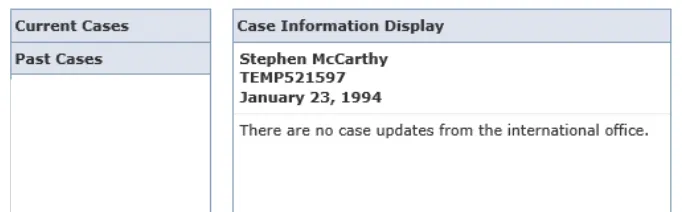
- You will see that some forms are not available for submission (grayed out). They will not become available for submission until all prior forms (including scholar’s forms) have been submitted.
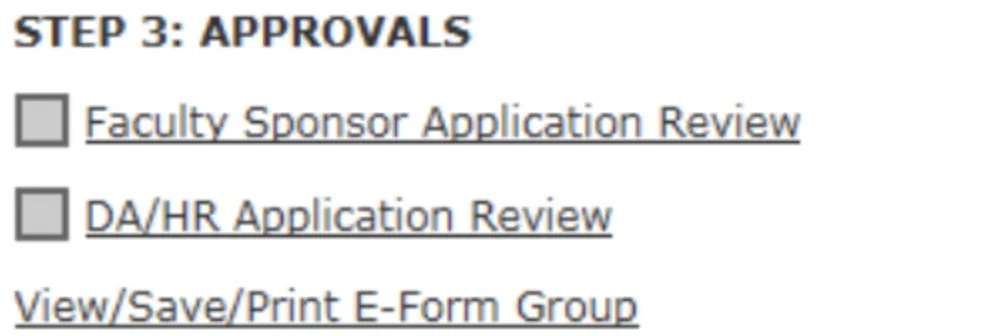
- Once you send a request for approval to the Faculty Sponsor, do not change anything on the preceding forms because it will interfere with the processing of the application.
- The "View/Save/Print E-Form Group" link below the application allows you to generate a PDF of the complete application.

- Application Status. Refer to the legend at the bottom of the screen for the application status of each form in the application.

- Only the latest user who accessed the application will receive notifications about the application progress.
How to Submit Initial J-1 Scholar Group Applications
In order to initiate a DS-2019 request to ISSO, first please access our ISSO Compass here and click on "Administrative Services for University Departments." Once you enter your UNI and password, you will land into the page below and will click on "Add New Person," under "- Departmental Services."

Always select "Scholars Morningside" for Campus, "J-1" for "Requested Immigration Status" and check "No" for both questions below. Finally, hit "Add New Person." Your screen will look similar to the page below:

Once you create a scholar’s profile, you will land in the page below where you will see your caseload and a “temporary number” for this person (TEMP00000). You will also receive an email from ISSO confirming that person has been entered in our system.


Or after selecting the case you want to work on under “current cases," you can click on “J-1 Group Scholar Request.”
Either way, you will land on the page below, where you will click on "Start a New Request" and after on "J-1 Exchange Visitor Group Request Form."


Include Visiting scholar on “Visiting Scholar - Independent Researcher.”
On Scholar Biographical Information, enter the information you will find on their passport. If you don’t know how to answer those questions, contact your ISSO liaison for advice.


Under "Visiting Scholar Administrative Fee," you can either select “My Department will pay” and enter your department chartsting or “Visiting Scholar will pay” and send them this link.

Please be sure to include all the required documents in one pdf file.
We will review each case individually and will contact the scholar and program administrators if we have any questions.